
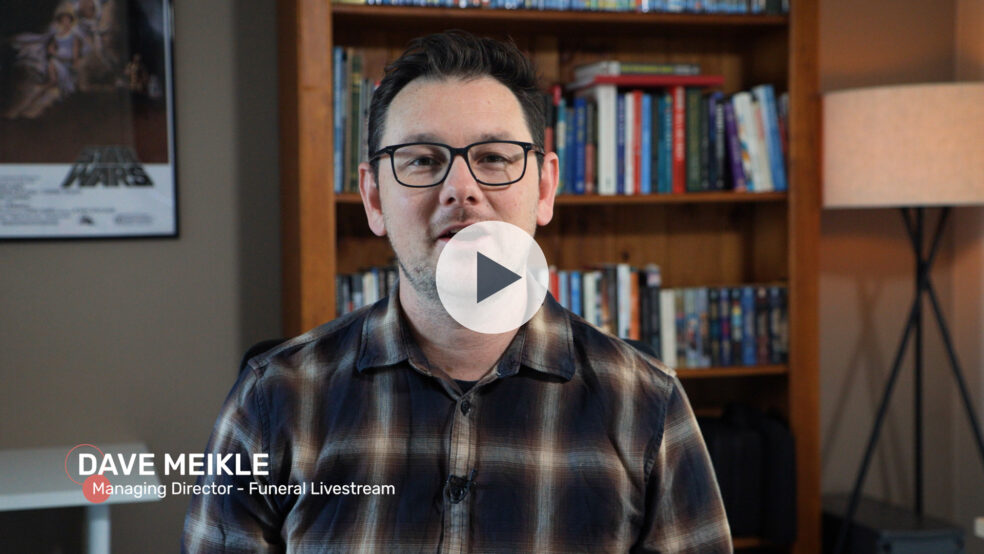
Want to know how to live stream a funeral with a 1 camera setup?
Watch the video to take a peek behind the scenes as Dave explains how we did the setup of a recent single camera funeral live stream.
Video Transcript:
Introduction
Hello and welcome to our first behind-the-scenes video, where today I want to take you through how we do a one camera setup.
1 x Camera Setup
In this specific example, we actually had a single camera set up on the balcony of an old Catholic Church. The camera we’re using is a Canon XF 605. The reason I really love this camera is because it allows us to have quite a wide shot for an overview. But also, and this is what’s most important to me, is it’s got the internal zoom that goes really far. In the past, before we got this camera, I was live streaming using Canon C200s, which have the fixed lenses, and it didn’t allow me to be able to go from, say, a 24 millimetre to a 200 millimetre or further. I always had to have multiple cameras if I wanted those longer shots if we were in a bigger venue. In this case, we’re able to do it all together. We’re able to zoom right in and we’re able to see a wide shot.
Audio Setup
Okay, now for the audio setup for this service. In the case of this service, we actually only needed to plug into the church’s sound system, and we received a feed from there. They had a school band plugged into another sound system, which then fed into the house system. Then we just took then a feed of the house system, which gave us all the lectern mics and the mics for the priests. I don’t have B-roll of how we actually plugged it in, but basically, the receiver just sat on top of the camera and went straight into the XLR for a really great quality audio feed. Then I use the on-camera shotgun mic as well that we have plugged into the camera for a bit of ambiance. So anytime there’s singing or there’s nothing happening in terms of speaking, then I will have the ambiance just turned up a little bit as well, just so that it’s not dead silence.
Switching and Recording
Now, I typically use ATEM switches, whether it’s the ATEM mini or the mini extreme. I find them to be really portable and versatile switches, and they’re able to be battery-powered as well. So if I am running the smaller one, I’ll usually run it off a V-mount battery, and that’ll get me through an hour and a half to two hours with no problems. Essentially, we go from the camera into the Atem, and then from the Atem into my Atomos recorder. We have a seven-inch Atomos recorder that records our program so that we always have a backup, and I record in the camera too which means that we always have multiple sources of recordings in case something does go wrong.
Live Streaming
After the video hits the Atomos recorder, It then goes into our LiveU encoder. Now, the LiveU is the magic behind how reliable our live streams are. This encoder can accept, up to six mobile Internet connections. So that’s four through USB, an Ethernet connection, and then a WiFi connection. And it will bond these six connections together for a really, really strong upload. Now, normally, I will only use two, sometimes three mobile connections for redundancy, and it gives us a really strong signal for most of the applications that we do. Very rarely, certainly for a funeral, sometimes for weddings, we’ll go to four for a little bit of extra juice. But for a funeral, we typically only do two or three because we’re usually live streaming from places that have decent 4G mobile reception. So the live view is Just amazing and I’m really happy with this piece of equipment.
Compact Setup
Now, the thing that holds together the entire setup is a simple light stand. I’ve created our setup as a really compact, the most compact that I can, to be able to be not taking up a lot of space. In a lot of older churches, we don’t get a lot of space to be able to do a big setup with a table and computers and sound mixes and everything. I created our setup based around a light stand setup where everything just clamps onto this light stand, and we’re taking up a space of maybe a metre squared with our actual streaming equipment, and then maybe another metre with our camera. So it’s really quite a compact setup. And then when we have additional cameras, those are usually wirelessly located away from our setup as well. So again, trying to keep everything fairly small footprint and very discrete, because we don’t want to be taking away from the family’s experience of the service as well. So we don’t want to be getting our cameras in people’s faces. We don’t like to be showing people grieving. We have everything facing towards the front, towards either the priest or the celebrant doing the action at the front, the eulogies and so on, just to be respectful to our clients.
Conclusion
There you go, that’s it for today’s video.
Curious about how it all works on the day? That’s exactly what we’re here for.
We provide professional funeral live streaming across Brisbane, Gold Coast, Ipswich, and South East Queensland. If you’d like to know more about our setup or get a quote for an upcoming service, start here or call 1300 021 747.
Not sure if a funeral livestream is right for your service? Read our guide on why families choose to live stream a funeral.