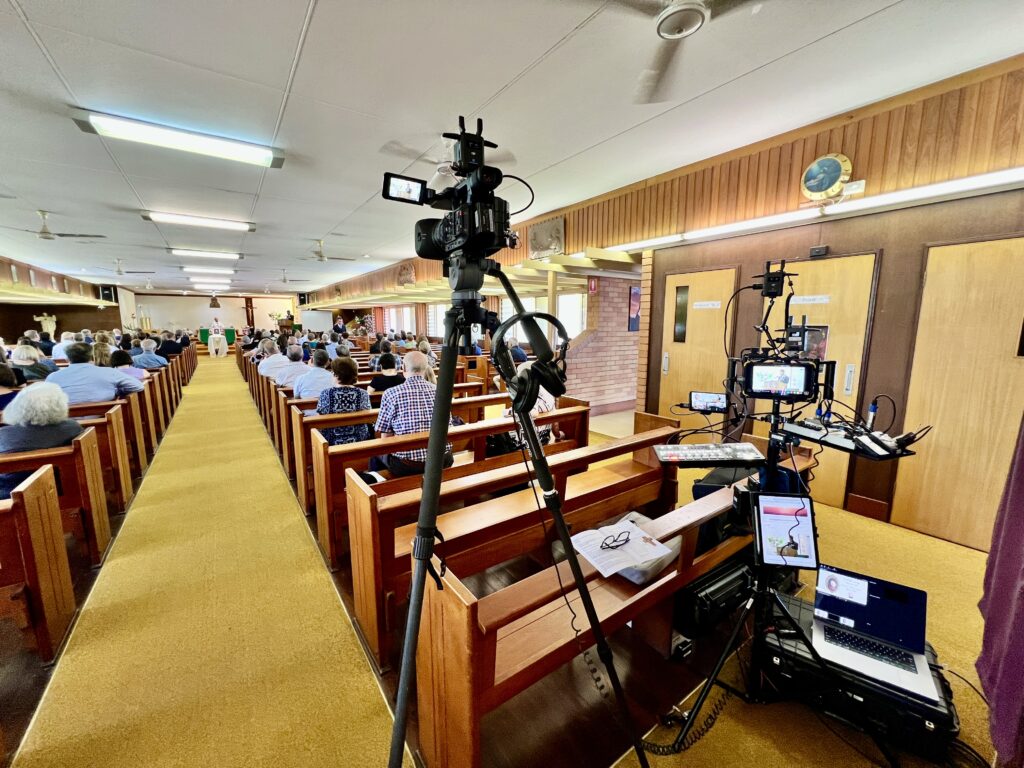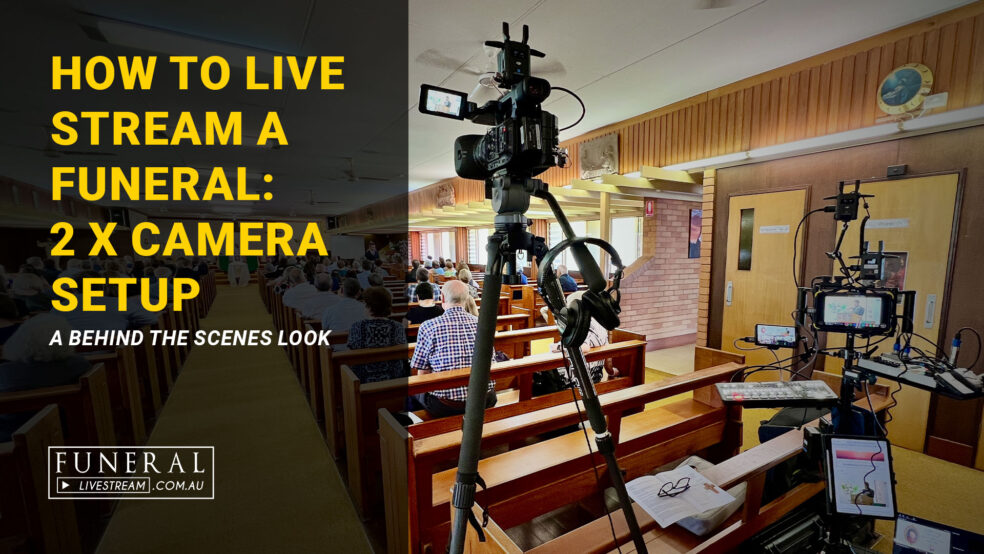
Want to know how our 2 x camera funeral live stream setup works?
Watch the video to take a peek behind the scenes as Dave explains how to live stream a funeral with this setup of a recent 2 x camera funeral live stream.
Video Transcript:
Introduction
Hello. Today, I’m going to talk about our two-camera funeral livestreaming setup. Now, why would you want two cameras as opposed to one camera? Well, look, to be honest, most of our bookings are a single camera. For smaller funerals, you can get away with that without any problems. However, if you’ve got a larger funeral, then having at least two cameras really, really helps with the engagement of those people who are watching online. You see, when you’re watching online and it’s just a single angle, then it can be a little bit stale after a while. Now, if you put the second camera into that mix, then being able to switch between the main camera, which is your main front-on camera, and maybe a side camera or another angle, just helps to make the live stream a little bit more interesting.
Main Camera Setup
I want to quickly take you through our setup for this two-camera live stream, starting with, obviously, our first shot, which is our camera. Now, for our main camera, we have the Canon XF 605. It’s a brilliant camcorder-style camera with a built-in zoom, which is just perfect. If you’re situated at the back of the service and you need to zoom right in on either the priest or the lectern to get a nice close-up shot of the person speaking. With this camera, it means that you’re not having to be limited by the lens choice, which we would typically be limited on if we’re using a DSLR or one of our other cinema cameras where you’re limited to a 24 to 105 or 70 to 200. This camera will allow you to zoom right out to all the way close. It’s probably about equivalent of maybe a 24 to 350 or so millimetre lens. It’s a great, versatile camera. I love this camera. Our second camera for this shoot was our Canon C200. It’s got a 24 to 105 lens, and we put it over to the side, focused primarily It’s primarily on a wide shot on the side, which shows the coffin plus also the lectern. It’s a great angle for switching to when someone who’s speaking at the lectern has finished speaking and they’re changing people. We can cut to that wide shot down there, and it’s a great way to break up the image during the live stream.
Recorder
Moving on to the rest of the equipment. I’m just going to quickly move through what we have for our setup. At the top is our Atomos Recorder. We put our program record into this, and we’re recording the actual main service with this. It means that when we get back to the office, we don’t have to do very much editing because it’s already edited for us. Both of the cameras are switched live and recorded into this switcher. We then send the output of the Atomos into our encoder, which is what actually then goes to our live stream on the website.
Video Switching
For this live stream, we were using the Atem mini extreme ISO. The reason I really love this switcher is it has two outputs on it, which means that we can send one of the outputs to our programme record and the second output we can use to a smaller monitor for our multi-view. This allows us to be able to see what each of our cameras is focused on and what’s happening at any one time on each of the cameras. It also allows us to view our laptop as well, which has usually the PowerPoint presentation or opening and closing slides.
Audio
Then we get to our mixer, which is the Flow 8 from Behringer. The thing I love about this mixer is it’s actually USB-powered, which means that we can either power it from the power adapter itself or you can power it off a V-mount battery or a power bank. It only has four XLR inputs and it’s got a couple of jack inputs as well. It’s got a total of eight inputs. Typically, we use two or three of those inputs. But then we also repurpose that switcher for corporate events when we might need more microphones as well. But for a funeral, usually we’re using two lapels plus our on-camera microphone. We have a lapel that goes onto the priest and a lapel that goes onto the lectern, which always gives us really crisp, clear audio. Most of the churches that we attend for these services, we can’t plug into the sound system. And so being able to bring our own microphones with us means means that we’re never depending on the church’s sound system and getting access to that. And even if we do get access, there’s often a lot of buzzes and the sound quality is just not usually very good. So being able to control this ourselves is a real bonus for us. Then I use the on-camera microphone on the main camera on the xf605 for anything that is like songs and hymns that are played through or sang through the service. Now, moving on to our wireless setup.
Wireless Transmitters
I’m using the new DJI SDR wireless system, and I actually have two of them. The reason I have two of them is so that both my cameras are coming in at the same time because there is a slight delay on these wireless transmitters. Now, I’m using SDI from the camera into the transmitter, and then the transmitter back at my switcher is going HDMI out into my ATEM mini extreme. The thing I love about these transmitters is they are super small and compact. They have flipped down antennas, so they pack up very small and they’re very quick to set up. I’ve used other transmitters in the past where you have to screw on four individual aerials onto the transmitter and the receiver, and it just takes so much time and it takes up a lot of space. Often, if you’re going through a door, you might hit it or something like that. With these small SDR transmitters, they are just perfect for what we do, and they’re very quick as well. To be honest, you can actually… I’ve used them before where my main camera would be plugged into the switcher, and the second camera will be on the wireless, and there is a slight delay, but because we’re using a wide angle on the second camera, lip sync isn’t so much of an issue, but certainly, if you do need lip sync, then having both cameras on the same latency is going to help with that lip sync issue.
Powering the setup
Our entire system is running off battery in this case. That includes our switcher, our monitor, our audio. Everything is running off battery. We don’t have anything plugged into a power socket. That’s because with the location of this church setup, we actually didn’t have any powers anywhere nearby. For us to actually put a power would have probably created a bit of a trip hazard because you would have had to put a power cord down across a walkway. The last thing you want to be worrying about is somebody tripping over one of your cables. In this case, I opted to just go completely battery. We had one V-mount operating the switcher and my wireless transmitters. The Atomos itself had batteries running directly in the back of the Atomos. Then I had another V-mount aside for just powering the audio switcher. That’s two V-mounts plus a couple of NPF batteries, and that gives us a couple of hours of complete battery operation.
Live Streaming Encoder
The final thing in our whole setup is the LiveU encoder. This is the magic behind how we are able to get such good quality live streams is our hardware encoder. This is a professional encoder.It’s quite expensive to run and to purchase in the first place, but 100% swear by it, it has been unstoppable. We’ve been able to stream in places where others can’t stream simply because of the bonding of this encoder. It can bond up to six modems. I would typically use three on a normal live stream. Sometimes I’ll use four, and it just gives you that extra redundancy that you can stream with confidence knowing that you’re never going to drop a stream.
Conclusion
Well, there you go. That’s our this set up for a two-camera funeral live stream.
Curious about how it all works on the day? That’s exactly what we’re here for.
We provide professional funeral live streaming across Brisbane, Gold Coast, Ipswich, and South East Queensland. If you’d like to know more about our setup or get a quote for an upcoming service, start here or call 1300 021 747.
Not sure if a funeral livestream is right for your service? Read our guide on why families choose to live stream a funeral.